Senates & academic boards
Programme proposals, academic policies and quality reviews. Keep papers, debate and voting together.
 University governance
FOR UNIVERSITIES
Connect your senate, university boards and research councils. From the first agenda to the final vote.
One platform. Every stage of the meeting.
From the secretariat
to every member’s screen.
MANY BODIES. ONE MEETING PLATFORM.
Bring a consistent meeting workflow to academic, strategic and research decisions.
Programme proposals, academic policies and quality reviews. Keep papers, debate and voting together.
Strategy, budgets and institutional priorities. Help members prepare and chairs guide the discussion.
Research strategy, committee recommendations and appointments. Organise the meeting and preserve its record.
EVERY PART OF THE MEETING
The full Councillo meeting workflow, applied to your university’s senates, boards and committees.
Build agendas for senates, boards and committees. Attach proposals and supporting papers to each item, and keep meeting dates in one place.
Share invitations, notices and updated documents. Bring communication between the secretariat, chairs and members into the meeting workspace.
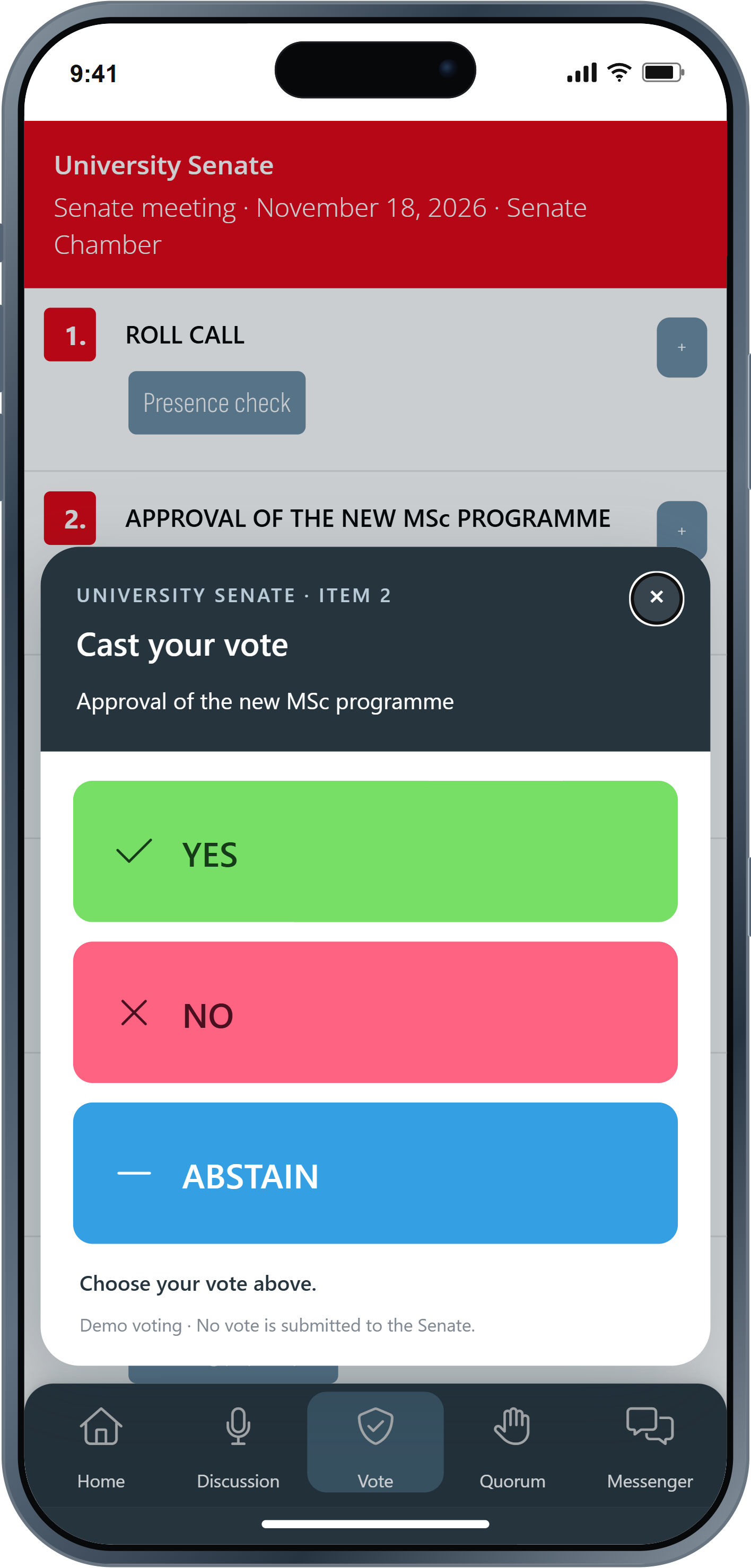
Check attendance and quorum, open a vote and follow the results. Members vote on programmes, policies and resolutions from a laptop, tablet or phone.
Let members request the floor. Give the chair a clear speaker list, manage speaking turns and connect the discussion to compatible room microphones.
Connect cameras and audio for the meetings your university broadcasts. Show the speaker, current agenda item and voting results alongside the discussion.
Keep agendas, documents and voting records together. Use a public portal for the materials and meetings your university chooses to publish.
SOFTWARE MEETS YOUR SENATE CHAMBER
Connect the meeting workflow to the room where your university makes decisions.
THE CHAIR GIVES THE FLOOR TO
Alex Morgan Now speakingTry giving the floor to another Senate member
Camera and microphone integration depends on the equipment and configuration in your meeting room.
MEET YOUR UNIVERSITY’S AI ASSISTANT
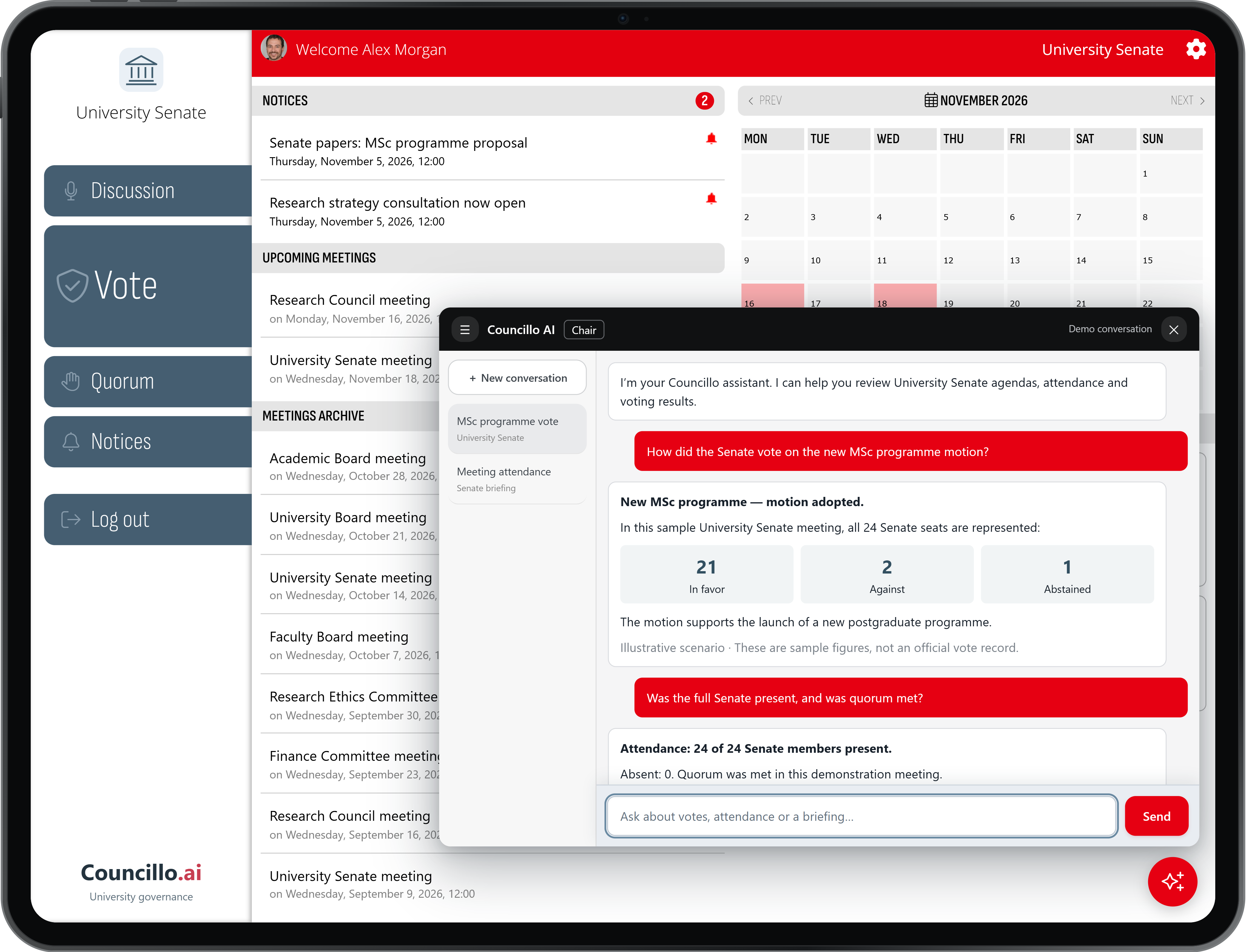
How did the programme vote go? Was quorum met? Watch the assistant respond, then explore the Senate agenda or try a vote yourself.
The conversation plays automatically. Click the input to ask your own question, or pause to explore.
Interactive sample using the Councillo interface. The university, members, conversations and votes are fictional demonstration data. AI answers are scripted for this preview. No live records are connected and no votes are submitted.
A BETTER DAY FOR EVERYONE
Help the people preparing, chairing and participating in each meeting work together.
Organise meetings, distribute papers and share notices in a single workspace. Spend less time forwarding attachments and chasing document versions.
Follow the agenda, manage requests to speak, check quorum and run votes. Connect meeting controls with compatible microphones and cameras.
Review proposals and supporting papers, request the floor and cast your vote. Return to meeting records and ask the AI assistant for a briefing.
LET’S MAKE IT CLEAR
From the secretariat’s desk
to the Senate chamber.
University senates, academic and governing boards, faculty boards, research councils and committees can use the same meeting workflow. In a demo, we can map it to the bodies, roles and meeting practices at your institution.
Yes. The same platform brings together calendars, agendas and papers, member communication, attendance and quorum, speaker management, electronic voting, results and archives, with an AI assistant and compatible room and broadcast integrations.
The interface adapts to laptops, tablets and smartphones. Members can review materials and participate using the screen that suits them. Try the electronic voting view above to see a sample Senate vote.
Councillo supports compatible conference systems and cameras. Share details of your Senate chamber or boardroom so we can discuss microphone control, camera switching and broadcast configuration.
It helps users review meeting information, understand voting results, check attendance and prepare briefings. The demo uses scripted academic examples; answers in a deployed system depend on the connected records.
Use it for agendas, broadcasts and voting records that your university chooses to publish. We can discuss your institution’s internal meeting workflows and public-facing information requirements during the demo.
Bring an example Senate or board agenda. We can walk through preparation, member communication, discussion, voting, records and AI assistance, then discuss room equipment and integration requirements with your existing systems.
YOUR NEXT MEETING CAN WORK BETTER
See how Councillo fits your university’s people, meetings and governance.