01 / PREPARE
A well-prepared meeting.
Before anyone arrives.
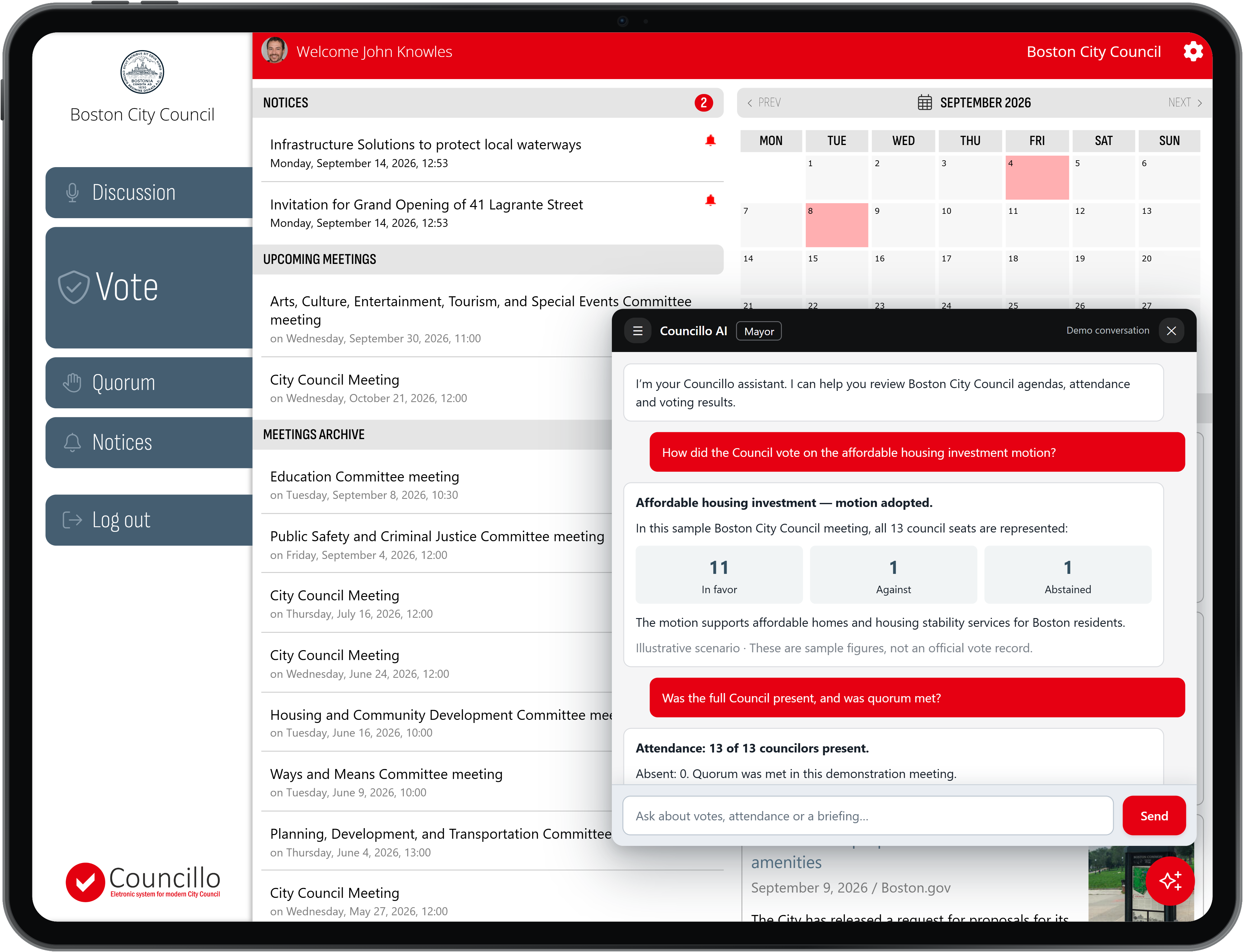
Build agendas for council and committee meetings. Attach documents to each item and keep upcoming dates and previous meetings together.
AgendasMeeting packsCalendar
COUNCIL MEETING MANAGEMENT
Prepare the agenda. Keep councilors connected. Run discussion, voting and live broadcasts.
One platform, from start to finish.
From the clerk’s desk
to every councilor’s screen.
EVERY PART OF THE MEETING
Give your clerks, councilors and meeting chairs a shared place to prepare, participate and follow through.
Build agendas for council and committee meetings. Attach documents to each item and keep upcoming dates and previous meetings together.
Share notices, meeting invitations and updated materials. Bring council communication into the same workspace as the work itself.
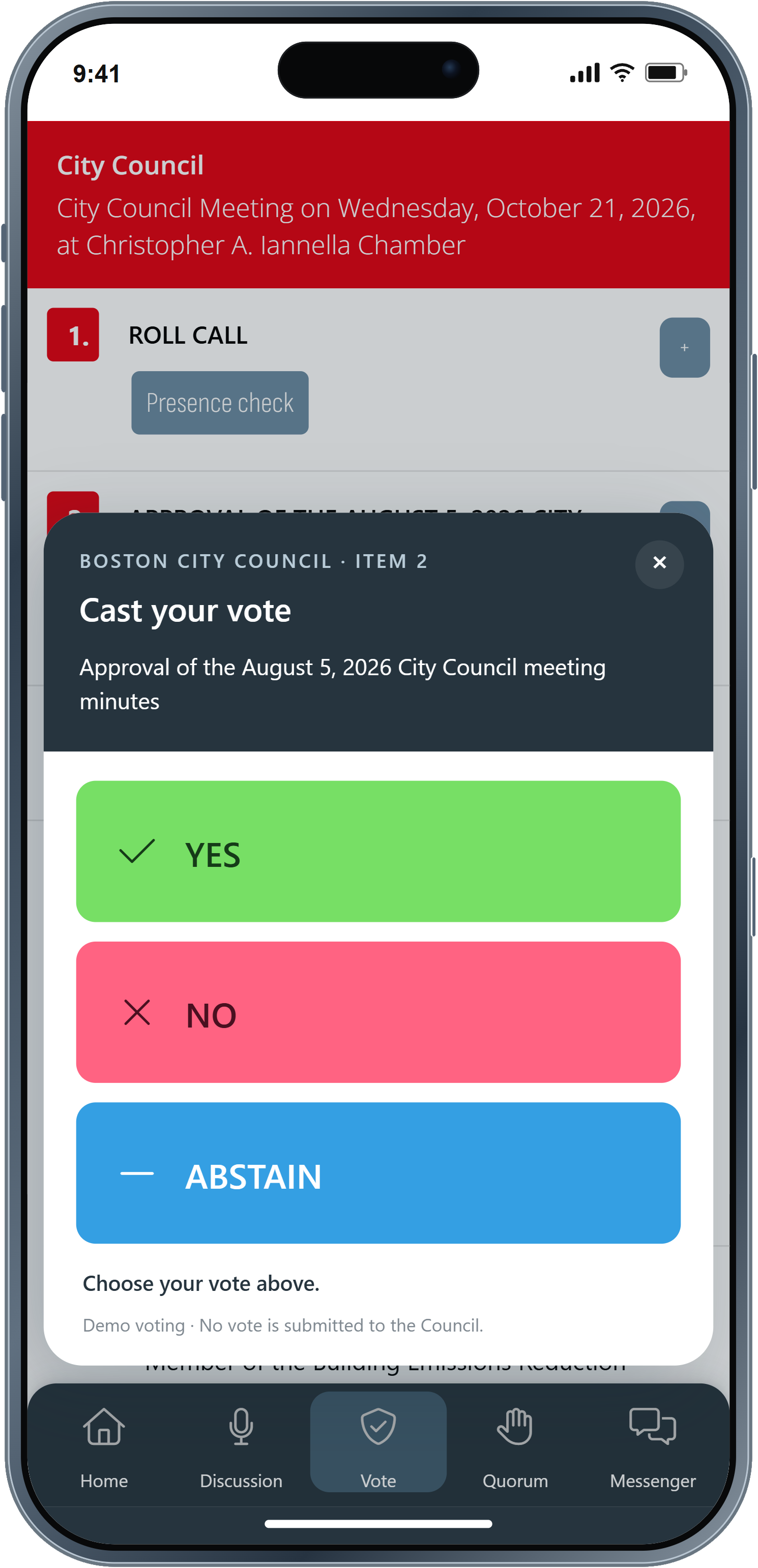
Check attendance and quorum, open a vote and follow results as they come in. Councilors vote from their laptop, tablet or phone.
Let councilors request the floor. Give the chair a clear speaker list, manage speaking turns and connect discussion to chamber microphones.
Connect cameras and audio to your live broadcast. Show the current agenda item, the speaker and voting results alongside the meeting.
Keep agendas, documents and voting records accessible. Give residents a public portal to follow council work and revisit past meetings.
SOFTWARE MEETS YOUR MEETING ROOM
Connect what happens in Councillo with what happens in the chamber.
THE CHAIR GIVES THE FLOOR TO
Alex Morgan Now speakingTry giving the floor to another councilor
Camera and microphone integration depends on the equipment and configuration in your chamber.
MEET COUNCILLO IN ACTION
Watch the AI assistant turn questions into answers. Then take over, explore the agenda or try a vote.
The conversation plays automatically. Click the input to ask your own question, or pause to explore.
Interactive sample using the Councillo interface. Conversations, names and votes are demonstration data, not official Boston City Council records. No live records are connected and no votes are submitted.
A BETTER DAY FOR EVERYONE
From the first invitation to the public record, each person gets the tools they need.
Organize meetings, distribute documents and share notices in a single workspace. Spend less time chasing versions and forwarding attachments.
Follow the agenda, request the floor, check quorum and vote. Put the meeting controls and supporting information within easy reach.
Make public agendas, broadcasts and voting results easier to find. Keep residents connected to the work of their council.
LET’S MAKE IT CLEAR
A few things you might
be wondering.
Yes. Councillo brings together meeting calendars, agendas and documents, councilor communication, attendance, discussion, voting and records. Camera, microphone and broadcast integrations connect the platform to the meeting room.
Councillo supports integration with compatible conference systems and cameras. Send us details of your current equipment so we can discuss microphone control, camera switching and broadcasting for your room.
The interface adapts to laptops, tablets and smartphones, so councilors can review materials and participate from the screen that suits them. You can try the electronic voting view in the demo above.
It helps turn meeting information into readable answers: checking attendance, understanding voting results and preparing briefings. The demonstration above uses scripted sample answers; answers in a deployed system depend on the connected records.
We can walk through meeting preparation, councilor communication, discussion and voting, then discuss your microphones, cameras and public broadcast. Tell us about your council at info@mwc.pl.
YOUR NEXT MEETING CAN WORK BETTER
See how Councillo fits your meetings, your people and your chamber.